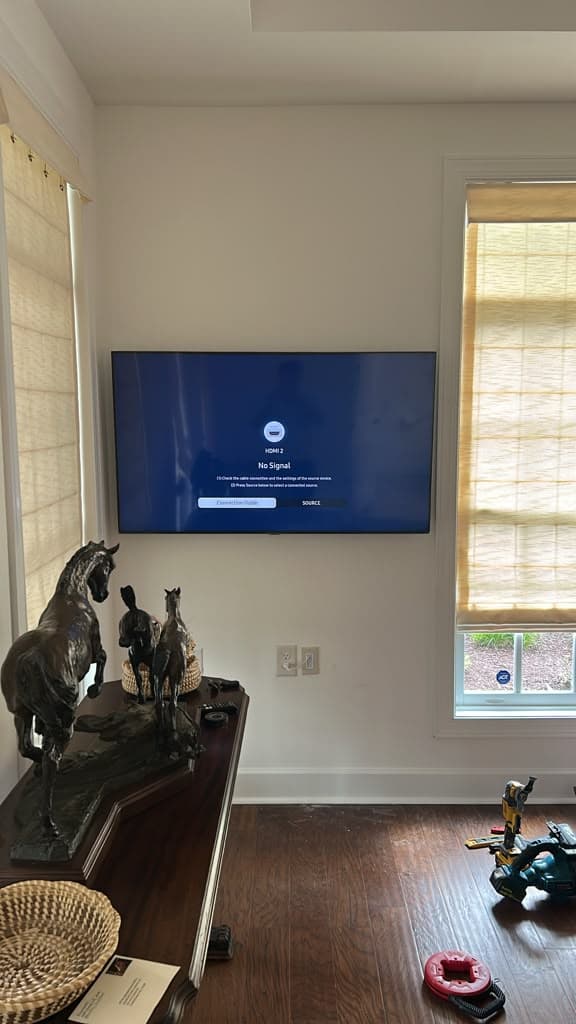
The Samsung Crystal UHD U8000H is one of the most common televisions we are called out to in Nashville. It sells in 65, 75 and 85 inches, and the 75-inch is the volume seller — big enough to anchor a family room, cheap enough that plenty of people buy it on impulse and then look at the bare wall and wonder what happens next.
Here is exactly what happens next, in the order we do it.
First, Confirm You Have the Right Set
Samsung model codes look like keyboard mashing, and the one on the back of your 75-inch U8000H reads UN75U8000HFXZA.
It is less random than it appears. The 75 in the middle is the screen size, and the U8000H is the series. The rest is region and revision information that matters to Samsung and to nobody else. If the sticker on the back of your panel says something close but not identical — a different suffix, say — you almost certainly still have the same television.
Why does this matter before you start? Because the model code is what tells a mount manufacturer, and us, which bracket class fits. Send it to us when you book and we will tell you what to buy before you order, rather than after a bracket arrives that cannot reach your studs.
Step 1: Find the Studs, Then Confirm Them
This is the step people rush and it is the only one that genuinely cannot be undone.
A 75-inch panel is heavy enough that drywall anchors are not an option, regardless of what the packaging on them claims. The bracket has to be lagged into the timber behind the drywall. So the first job is finding that timber.
Most Nashville framing runs on 16-inch centres. Run a stud finder across the area, mark every hit, then confirm each one — a magnet finding a drywall screw is good evidence, a second pass from the opposite direction is better. We do not drill on a single unconfirmed reading.
Aim to centre the bracket across two studs. On a 75-inch mount you can often reach three, and if the spacing gives you that, take it.
Step 2: Decide the Height Sitting Down
The general rule is centre-of-screen at seated eye level, which for most sofas is somewhere between 42 and 48 inches off the floor.
On a 75-inch screen that rule starts to strain. The panel is tall enough that a centre at 45 inches can drop the bottom edge uncomfortably close to a media console. There is no chart that resolves this for your specific room, so do what we do: put the furniture where it is actually going to live, sit on it, and have someone hold a mark on the wall. Then step back and look.
Ten minutes there saves you from the most common regret we hear about, which is not a crooked TV. It is a TV mounted three inches too high, forever.
Step 3: Check the Bracket Against the Panel
The U8000H is a thin set. That is good for the look and slightly awkward for the hardware, because there is not much clearance between the back of the panel and the wall once it is hanging.
Before anything goes into the wall, fit the bracket arms to the back of the television and check two things: that the arms sit flat without fouling anything, and that the spacing between them actually lands on the studs you marked. A bracket that fits the TV but cannot reach your timber is a problem you want to discover on the floor, not halfway up a ladder.
Step 4: Two People. Always.
A 75-inch Samsung is wider than one person's arm span. You cannot support the weight and align the bracket hooks at the same time, and the moment you try is the moment panels get cracked and walls get gouged.
We send two technicians on every 75-inch install and we do not offer a cheaper single-person version. If you are doing this yourself, get a second person before you get a drill.
Step 5: Route the Cables Before You Commit
Once the TV is on the wall, whatever cables you did not plan for are going to hang down it.
Decide beforehand. In-wall routing gives a completely invisible finish and needs to be done before the bracket is fixed, because the entry and exit points are dictated by where the TV lands. A paintable surface raceway is the fallback where the wall will not take it — fine, and far better than a dangling HDMI.
Cable concealment is an add-on with us starting from $60 per TV. The mounting itself starts from $140 per TV for anything over 55 inches, which includes every U8000H except the 65.
What About Over the Fireplace?
At 75 inches, this is the size where the answer starts being "maybe not."
Above a typical Nashville mantel there often is not enough wall to get a screen this tall clear of the heat plume and still leave a viewing angle you can sit through a whole film at. It is worth measuring before you plan around it. We cover the heat-clearance check in detail on our TV over fireplace page.
Or Just Let Us Do It
We mount the U8000H every week across Nashville, Brentwood, Franklin, Murfreesboro and the rest of Middle Tennessee. Two technicians, studs confirmed, height set from your sofa, cables managed, every input tested before we leave, and a 30-day workmanship warranty behind it.
Prices start from the amounts above. The final figure depends on the difficulty of the job, the wall type and the bracket being installed, and one of our sales representatives confirms it before any work begins.
- Samsung TV mounting in Nashville — the rest of the range, including The Frame
- 75-inch TV mounting — what changes at this size, whatever the brand
- Book an installation or call (615) 669-0251
PrimeTvNashville is an independent TV mounting and installation company. We are not affiliated with, authorized by or endorsed by Samsung. Brand and model names are used only to describe the equipment we install.