Everything else we mount, we worry about weight. The LG OLED C6 is the exception, and it is the reason this guide reads differently from the others.
At 65 inches — model code OLED65C6PUA — the C6 is not a heavy television. It is comparatively light and remarkably easy to carry. That is precisely what makes it dangerous.
The Risk Is Flex, Not Weight
An OLED panel has no backlight behind it. That absence is why the picture looks the way it does, and it is also why the panel is thin enough to bend under its own weight.
Pick one up by two corners and the middle flexes. Lay it face-down on a sofa and the cushions push unevenly against the screen. Prop it at an angle against a wall while you go and find a socket set, and the load concentrates along one edge.
None of these things break an OLED reliably, and that is exactly the problem. Someone who has got away with it ten times has learned the wrong lesson. When it does go wrong, the damage is internal, permanent, visible on every bright scene for the rest of the television's life, and covered by nobody's warranty.
So there are three handling rules, and we do not bend them:
- The panel stays vertical. On its edge, from the box to the bracket.
- It is supported at both ends by two people. Not one person and a knee.
- It never goes face-down and never gets leaned at an angle. Not for a minute.
The second technician is not there to share the weight. They are there so nobody has to hold the screen with one hand and align a mount with the other.
That is the whole difference between a professional OLED install and a weekend one, and it costs nothing. We do not charge extra to mount an OLED.
Decoding OLED65C6PUA
Briefly, because people ask. The 65 is the screen size and the C6 is the series. The rest is region and revision information. If the sticker on the back of your set reads slightly differently, you almost certainly have the same television — the useful part for choosing a bracket is the size and the series.
The C6 is also sold at 77 inches. Everything below applies, with the handling rules mattering more rather than less.
The Bracket Decision Nobody Mentions in the Shop
Here is the thing that actually determines whether you are happy with the result.
You paid a premium for the C6 substantially because it is startlingly thin. Then a standard wall bracket pushes it far enough off the wall that it looks like any other television, and the reason you bought it quietly disappears.
A slim-profile or flush mount fixes this, usually for a modest difference in price. If a flat, almost-part-of-the-wall look is why you chose an OLED, it is worth every cent.
A full-motion arm is the right call only if you genuinely need the screen to swing — into an open-plan kitchen, around a corner. Then you accept the depth knowingly.
What you should not do is buy a bulky arm by default and then wonder why the TV sticks out.
We do not sell mounts, so there is nothing in this for us either way. Send us the model code before you order and we will tell you which class fits your panel and reaches your studs.
Step 1: Find and Confirm Two Studs
Lighter than an equivalent LED set, but it still hangs off timber rather than drywall.
Mark every stud finder hit, then verify each one with a second pass from the opposite direction or a magnet tracking the drywall screws. Centre the bracket across two studs. At 65 inches on standard 16-inch framing that is usually achievable wherever you want the TV, which is one of the genuine advantages of this size.
Step 2: Set the Height From the Sofa
Centre of screen at seated eye level, roughly 42 to 48 inches off the floor. A 65-inch screen is short enough that this works in nearly any room with an 8-foot ceiling.
Place the furniture first, sit on it, mark the wall from there. Our guide on the best height to mount a 65-inch TV covers the arithmetic.
Step 3: Fit the Arms With the Panel Vertical
Attach the bracket arms with the television standing on edge and supported, not lying on the floor. Check the arms sit flat and that their spacing lands on the studs you marked.
Then lift — two people, vertical, one guiding the hooks onto the rail and confirming the seat.
Step 4: Hide the Cables, Because Here It Matters Most
On any other television a visible cable is untidy. On an OLED it undoes the entire point.
The visual argument for a C6 is that the television nearly disappears into the wall, and one HDMI lead hanging below it destroys that in a single glance. In-wall routing gives the clean result; a painted surface raceway is the honest fallback where the wall cannot be opened. Concealment starts from $60 per TV.
A Word on Fireplaces
We will measure before agreeing to it, and we may advise against it.
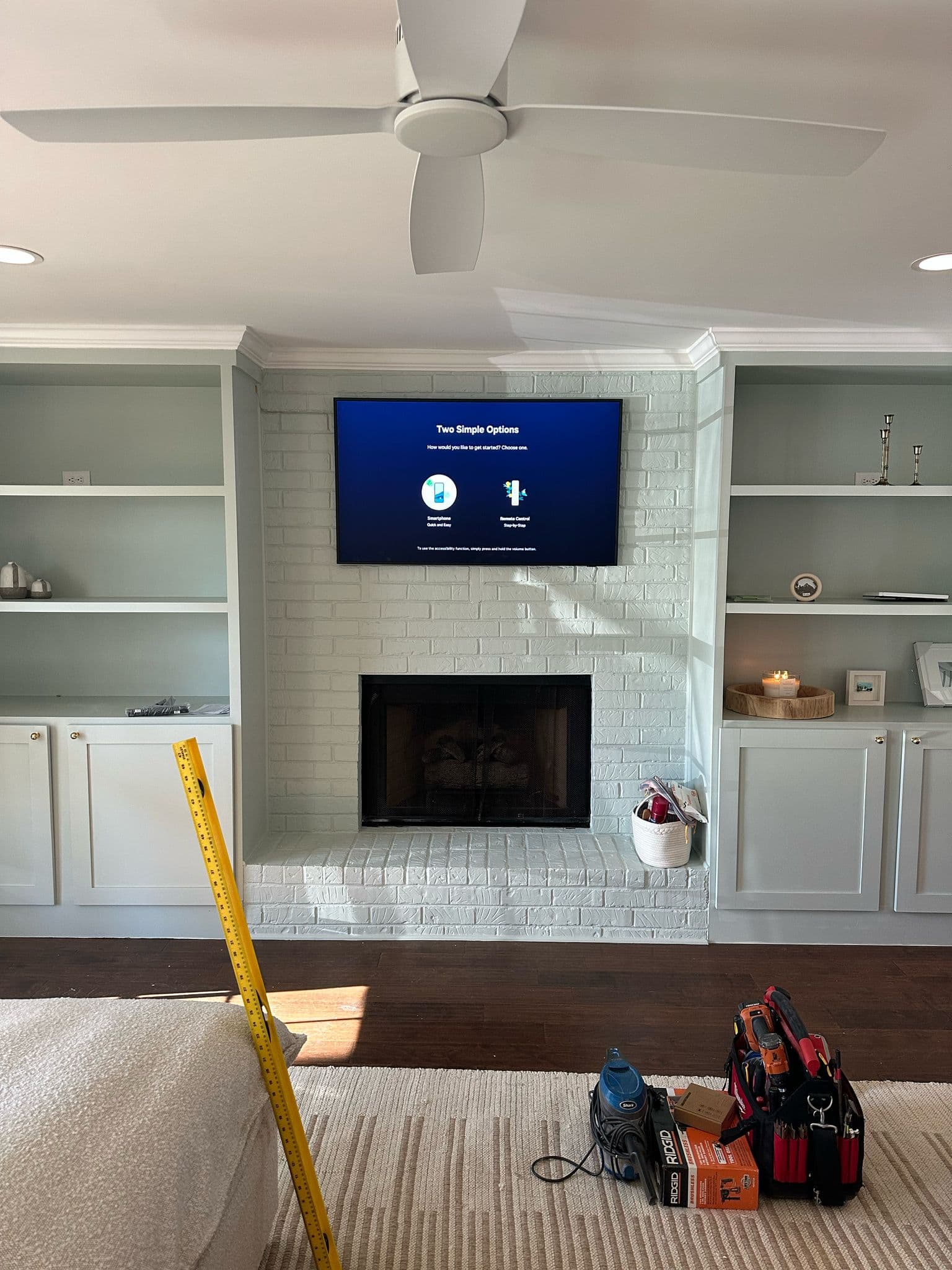
Heat is harder on an OLED than on a backlit panel, and above a working firebox there has to be real clearance. Over-fireplace handling starts from $25 extra where the geometry works. Where it does not, we would rather point you at a different wall than install something that cooks slowly for years.
What It Costs
A 65-inch set falls into our over-55-inch band, so mounting starts from $140 per TV — the same starting point as any other panel that size. We do not charge a premium because it says OLED on the box.
Starting prices. The difficulty, the wall type and the mount decide the final figure; mantel mounts are priced separately; a sales representative confirms your exact price before work begins; prices do not include the bracket.
Let Us Handle It
We mount OLED panels across Nashville, Brentwood, Franklin, Nolensville and the rest of Middle Tennessee, with a 30-day workmanship warranty.
- OLED TV mounting — the handling rules in full, including the C5 and Samsung S90F
- LG TV mounting in Nashville — OLED, QNED and LED
- 65-inch TV mounting — every 65-inch model we install
- Book an installation or call (615) 669-0251
PrimeTvNashville is an independent TV mounting and installation company. We are not affiliated with, authorized by or endorsed by LG. Brand and model names are used only to describe the equipment we install.