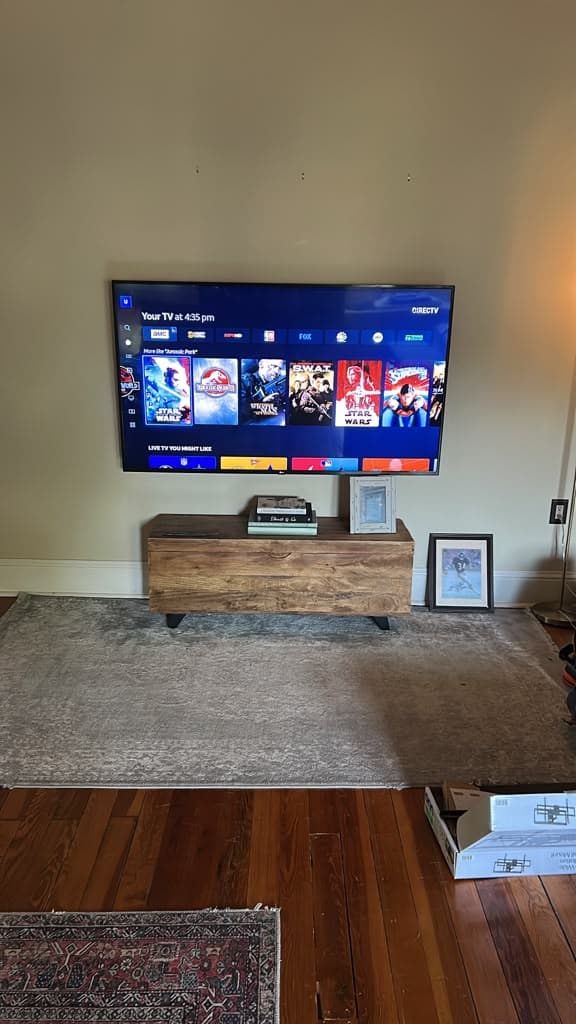
The right TV mount is the one that matches your TV's hole pattern and weight, your wall, and how you watch. Get those three right and almost any well-made mount will do the job; get one wrong and the mount either won't fit or won't be safe. Here is how to choose in about five minutes.
Black Friday at PrimeTV
Two TVs mounted from $199 with a Black Friday Promo (drywall walls only, not over a fireplace), or 10% off any other service. Limited time.
Key takeaways
- Three numbers decide whether a mount fits: VESA pattern, TV weight and screen size.
- Fixed for straight-on viewing, tilting when the TV sits a little high, full-motion for corners and more than one viewing spot.
- Bigger TVs need the mount to reach two studs, especially full-motion mounts.
- The wall changes the hardware: drywall over wood studs is standard; brick, stone, tile and metal studs are not.
- We don't sell mounts, but we'll check your choice before you order it.
Start with the TV: three numbers
Look these up for your exact model, in the manual or on the manufacturer's page.
1. VESA pattern. The four threaded holes on the back of the TV form a rectangle. Its size in millimeters, width × height, is the VESA pattern — 200 × 200, 300 × 300, 400 × 400 and 600 × 400 are common ones. The mount must list your pattern.
2. Weight without the stand. Every mount has a maximum weight. Choose one rated comfortably above your TV's weight, not right at the limit.
3. Screen size. Mounts are sold for a range of sizes, such as 37 to 75 inches. Size is the loosest of the three — the VESA pattern and the weight are what really decide the fit.
Then choose the type
| Type | What it does | Best for | Trade-off |
|---|---|---|---|
| Fixed | Holds the TV flat, close to the wall | Watching from straight in front | No adjustment; ports are harder to reach |
| Tilting | Angles the screen down a few degrees | A TV mounted above eye level; cutting glare | Doesn't turn side to side |
| Full-motion | Pulls out, swivels and tilts | Corners, open rooms, more than one seat | Sits further out; more load on the wall |
| Pull-down (mantel) | Lowers the TV in front of the fireplace to watch | A TV high above a mantel | The most involved install; priced separately |
A simple way to decide: if everyone watches from the same sofa, buy fixed or tilting. If the TV has to face the kitchen some days and the sofa on others, buy full-motion.
What changes with the size of the TV
Up to 55 inches. The easiest case. These TVs are light enough that most mounts of any type work, and one or two studs are enough.
65 inches. Any type works, but a full-motion mount should have a wall plate wide enough to bolt into two studs.
75 inches. Weight and width start to matter. Look for a mount rated well above the TV's weight, with a wide wall plate. Fixed and tilting mounts are the simplest choice at this size.
85 inches and up. Choose the mount for the weight first. Fixed or tilting is what we recommend unless you truly need the TV to move, and it takes two people to hang. If you want full-motion at this size, buy a heavy-duty model built for it.
Mounting a specific size? See our pages for 65-inch, 75-inch and 85-inch TVs.
Now check the wall
The hardware in the box is almost always for wood studs behind drywall, usually spaced 16 inches apart. That is the standard install.
Other walls need a different plan:
- Brick, stone or concrete — masonry anchors instead of wood screws. See TV mounting on brick, stone or tile.
- Tile — drilled with care so it doesn't crack, then anchored into what is behind it.
- Metal studs — common in apartments and condos; they need anchors made for them.
- Above a fireplace — a tilting or pull-down mount, after a heat and height check. See can you mount a TV over a fireplace.
Drywall anchors alone, with no stud, are not enough for a TV of any real size.
Two special cases
Samsung The Frame. It is designed to sit flush like a picture and uses Samsung's own slim wall mount rather than a standard bracket. See our Samsung Frame TV installation guide.
A soundbar under the TV. If you want the soundbar on the wall too, some mounts take a soundbar bracket that hangs from the TV mount, so both move together.
Not sure? Ask before you buy
Send us the TV model and a photo of the wall and we'll tell you which kind of mount fits — before you spend money on one. Then we install it level, on the studs, with the cables hidden if you want.
Get a mounting quote, book your installation or call (615) 669-0251.